Content Pages
These are basic pages like Contact, Expertise, Offices, and Office Profiles as well as the Wimberly and Urban main and sub pages.
Updating an Existing Content Page
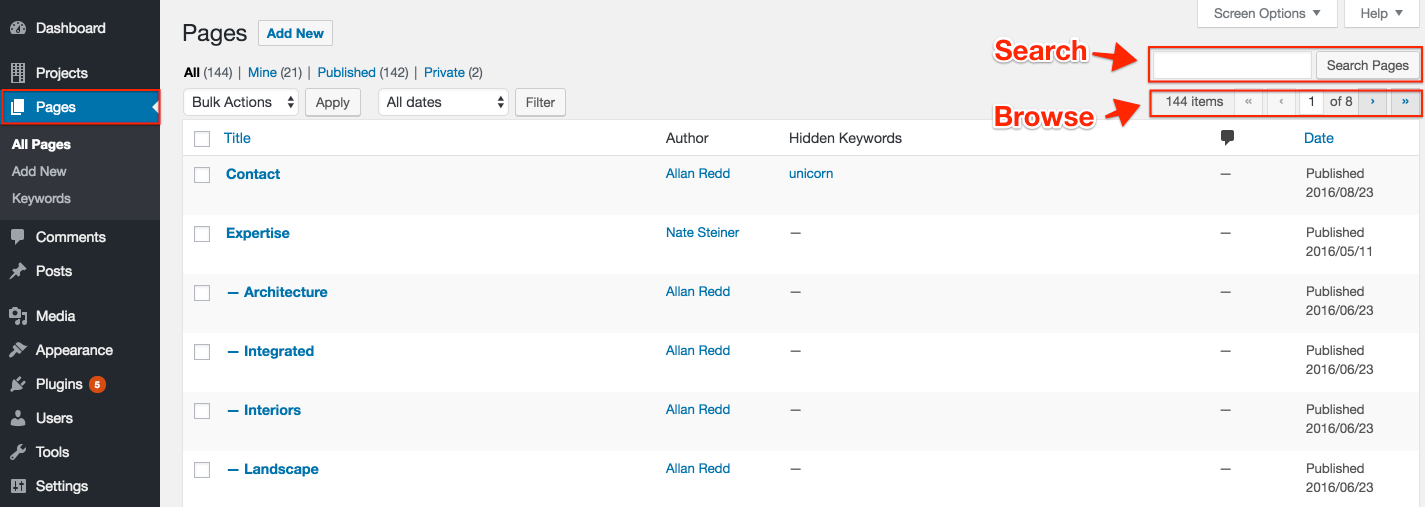
Step 1: In the Pages section, find your page by browsing or searching.
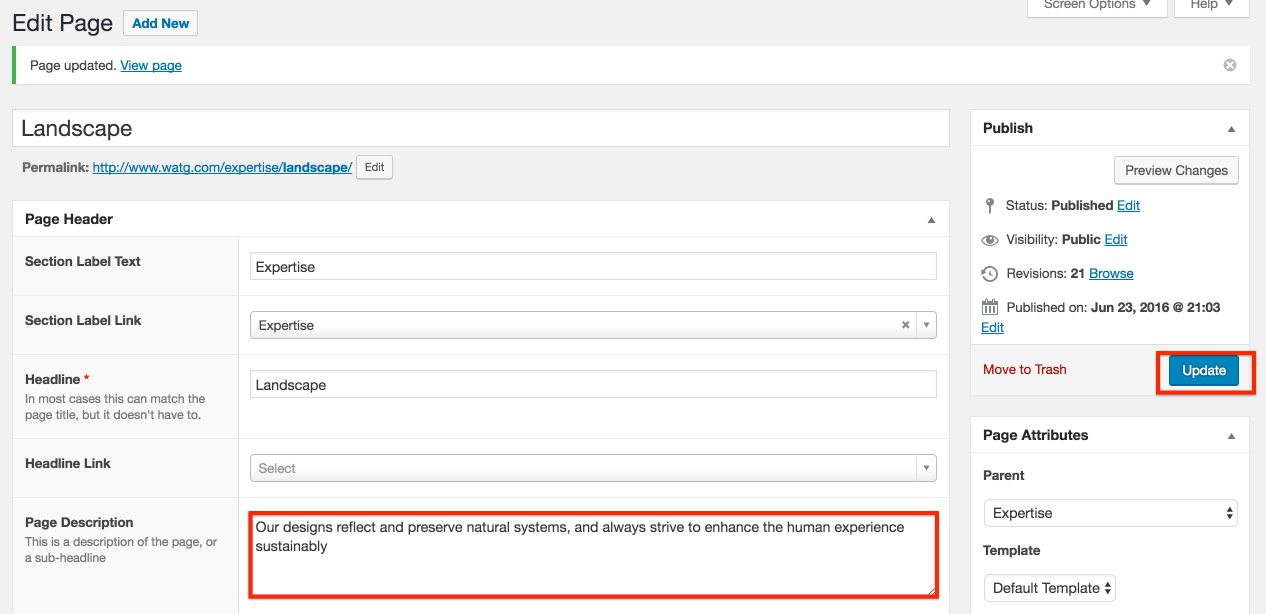
Step 2: Modify the content section(s) and click Update.
Creating a New Content Page
Note: It's always a good idea to open a similar existing page in a new tab to provide a guide for creating your new page.
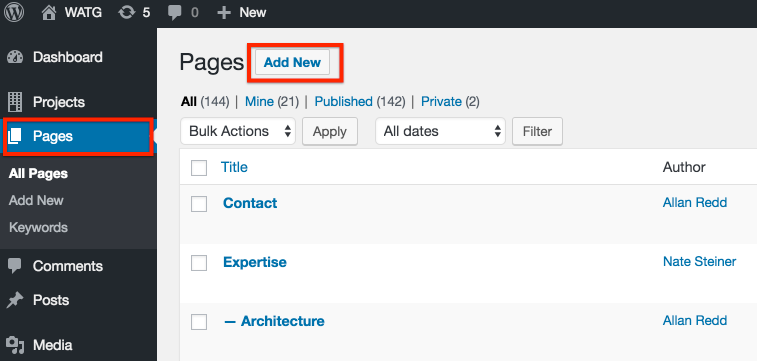
Step 1: In the Pages section, click Add New.
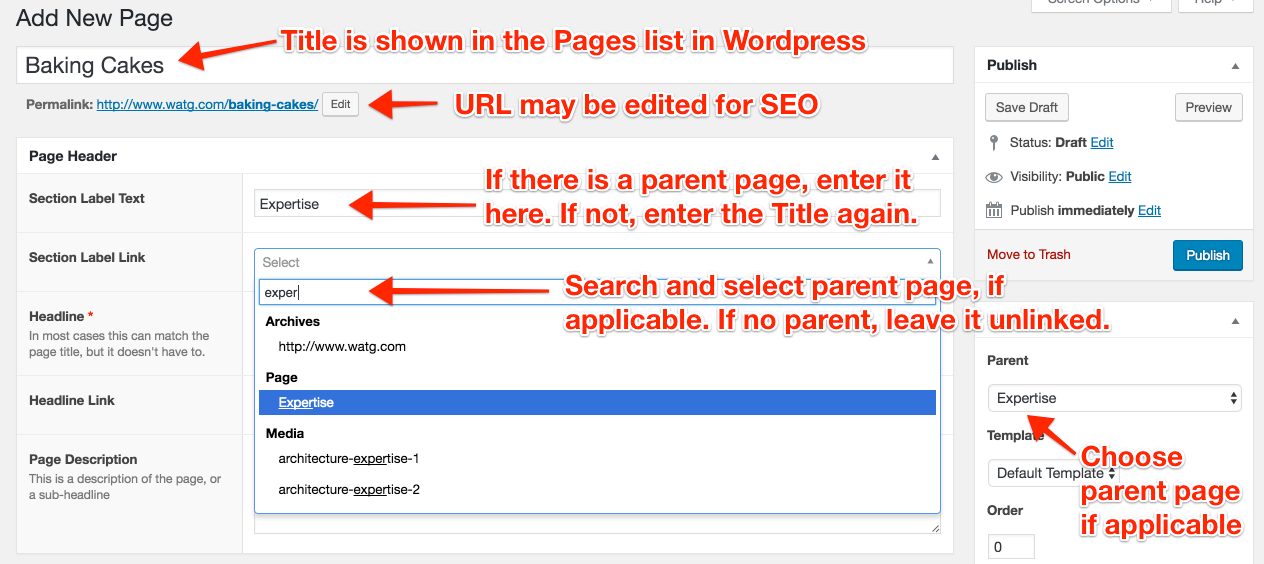
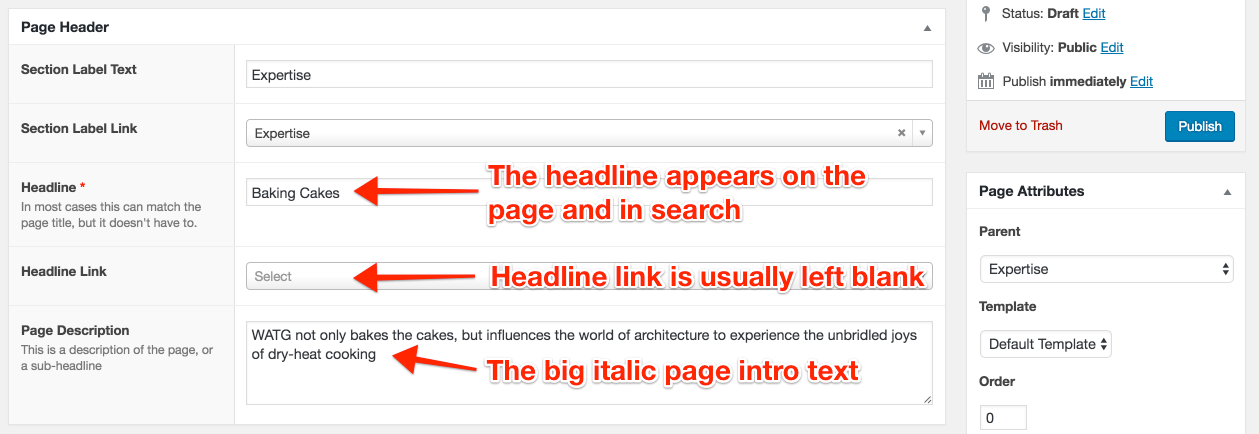
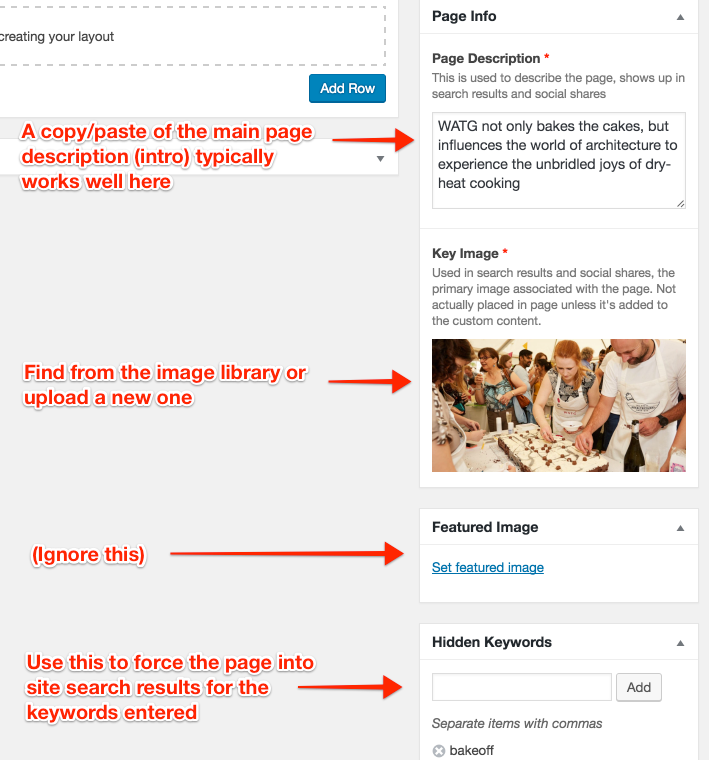
Step 2: Add fundamental information.
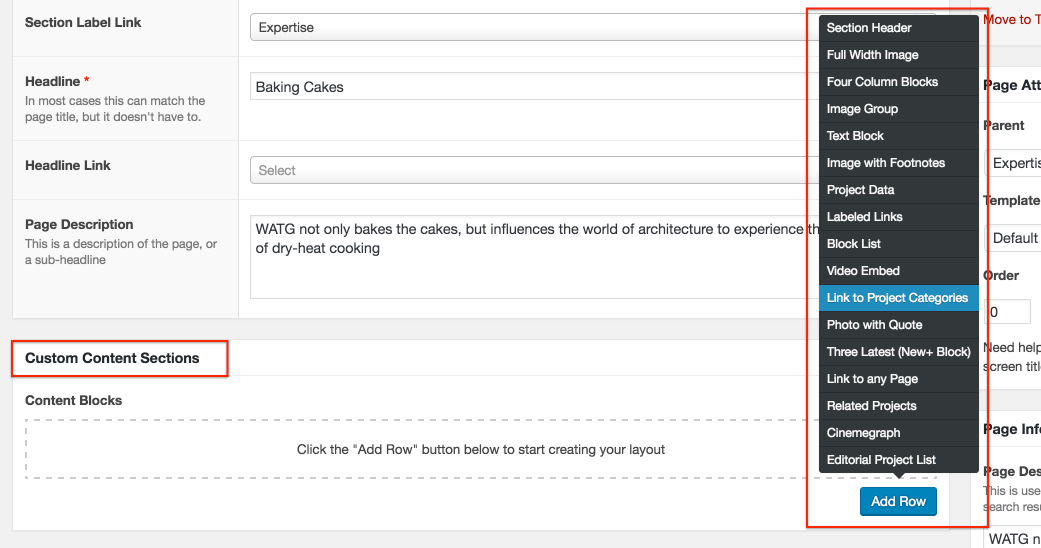
Step 3: Add Custom Content Sections to build the page content.
See this section for the specifics.
Step 4: Click Publish to make it live.