This section describes the steps for creating a new Media Coverage post
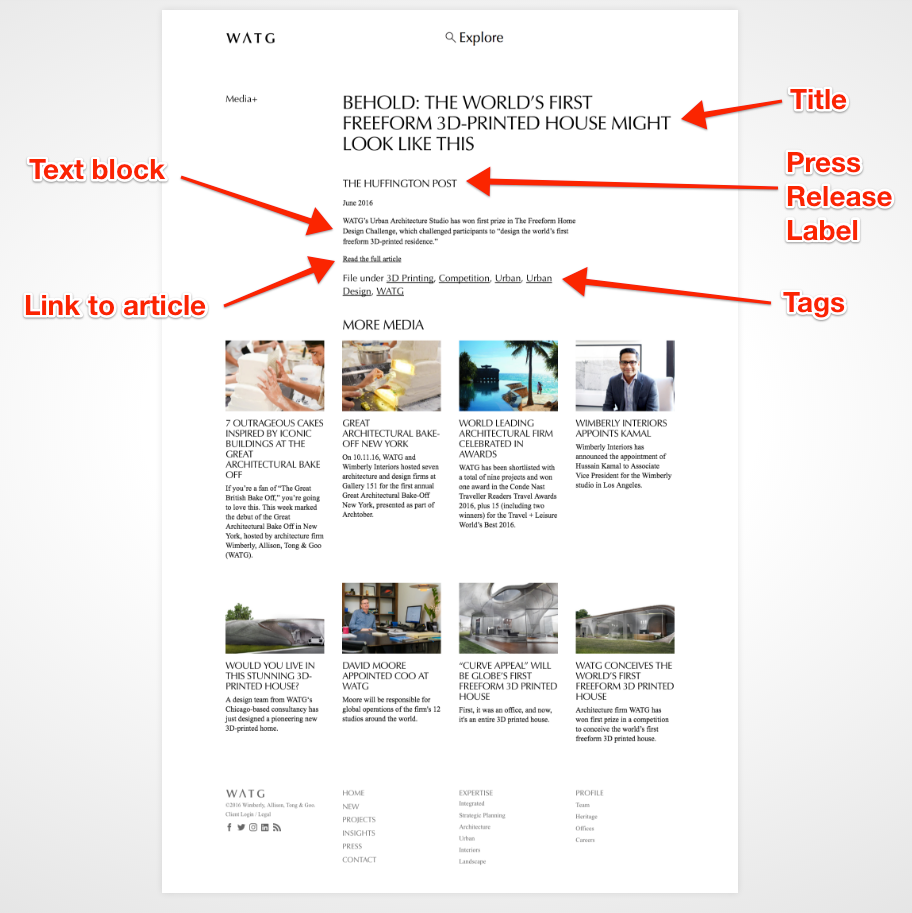
This link is an example of how a Media Coverage post should look once it is published:
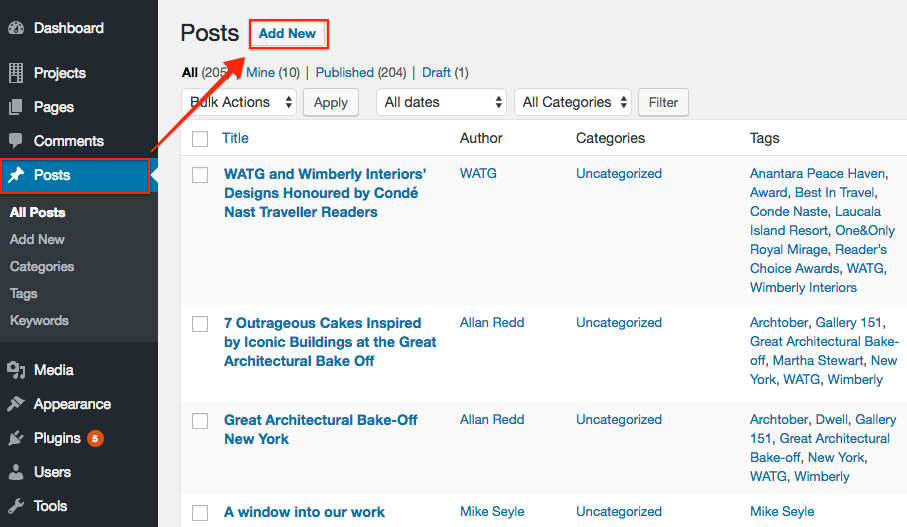
Step 1: In the Posts section, click Add New.
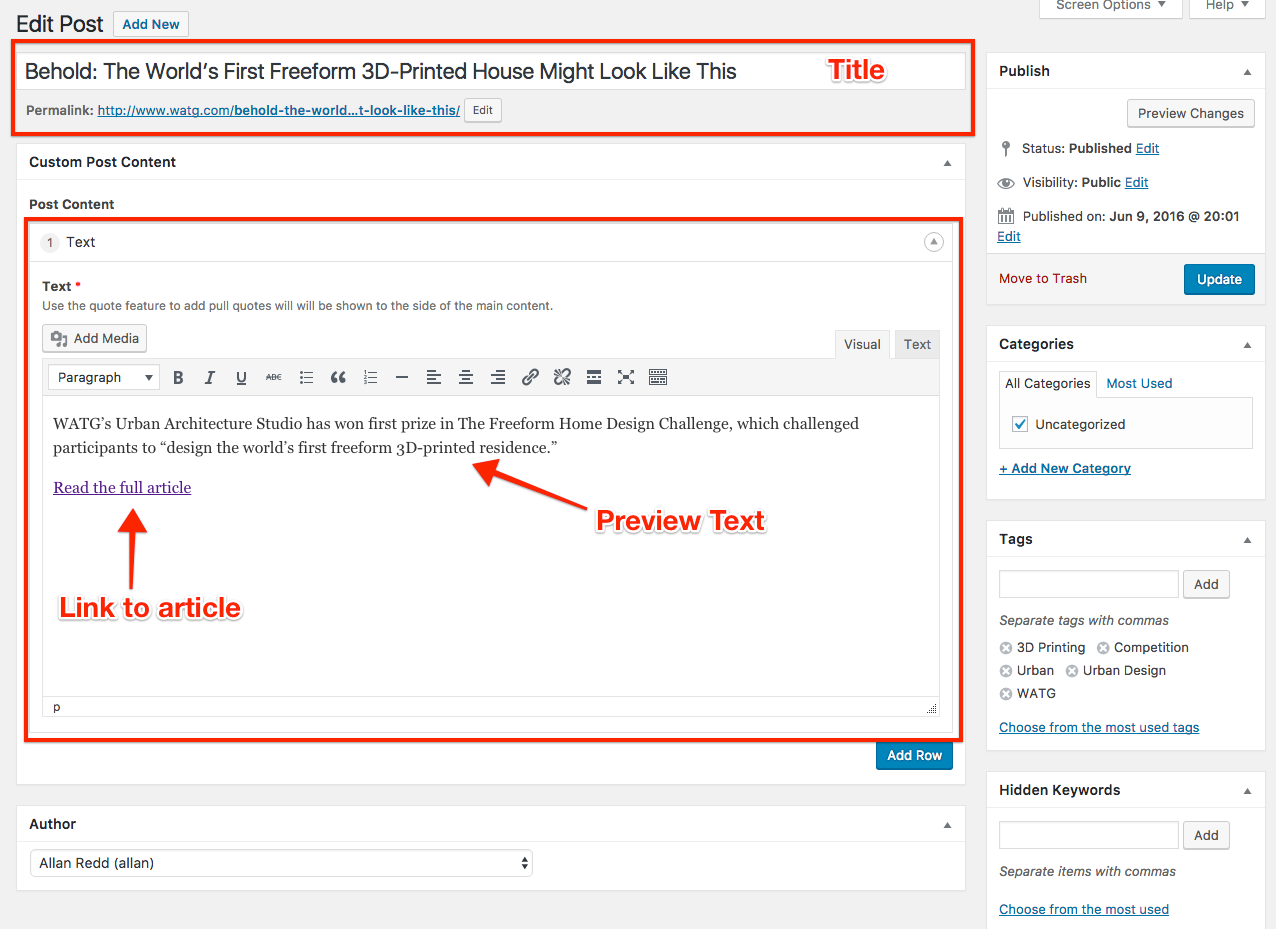
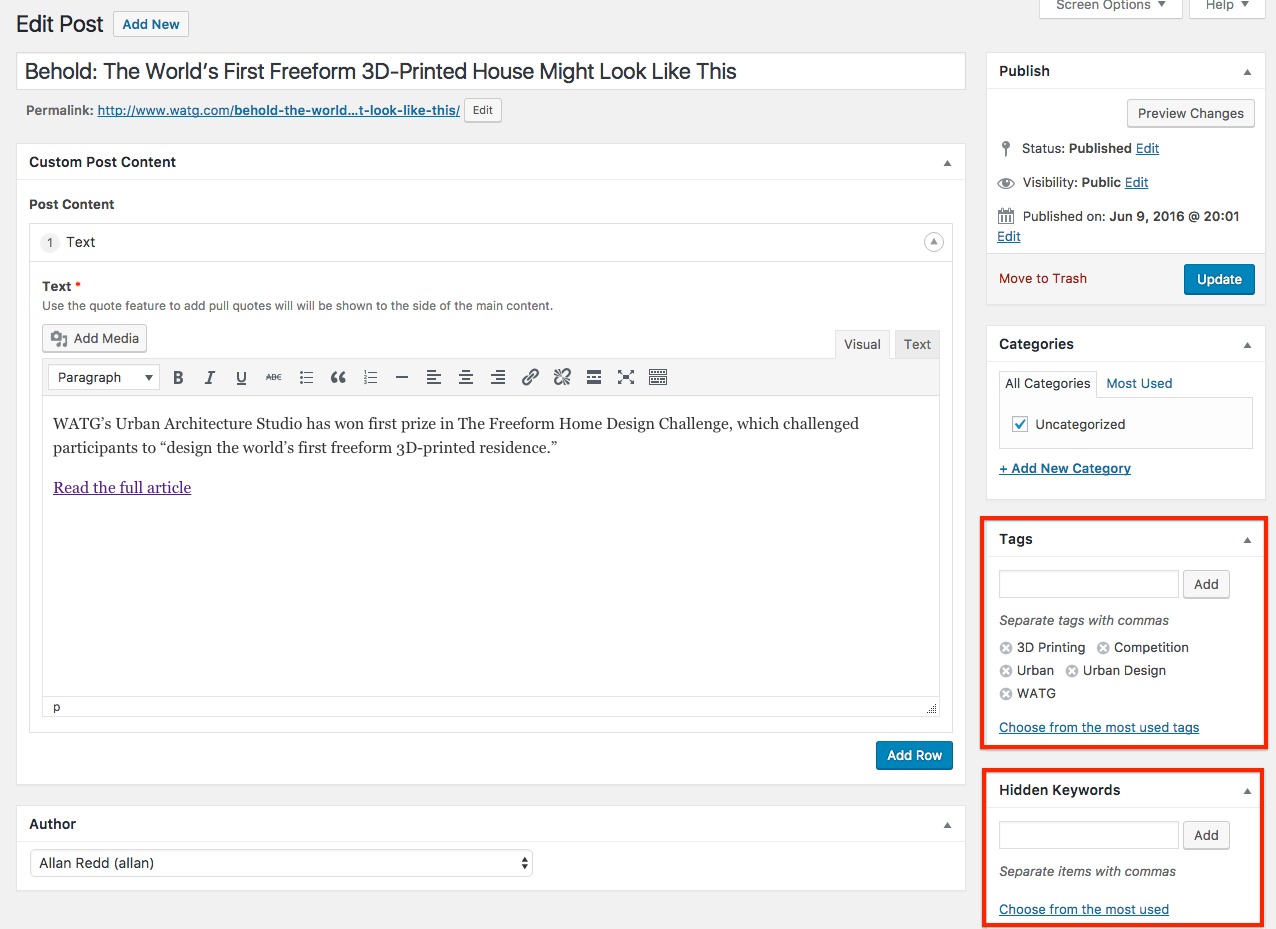
Step 2: Add a post title and a Text Block that includes preview text and an external link to the media coverage article
Step 3: Enter Tags and Hidden Keywords
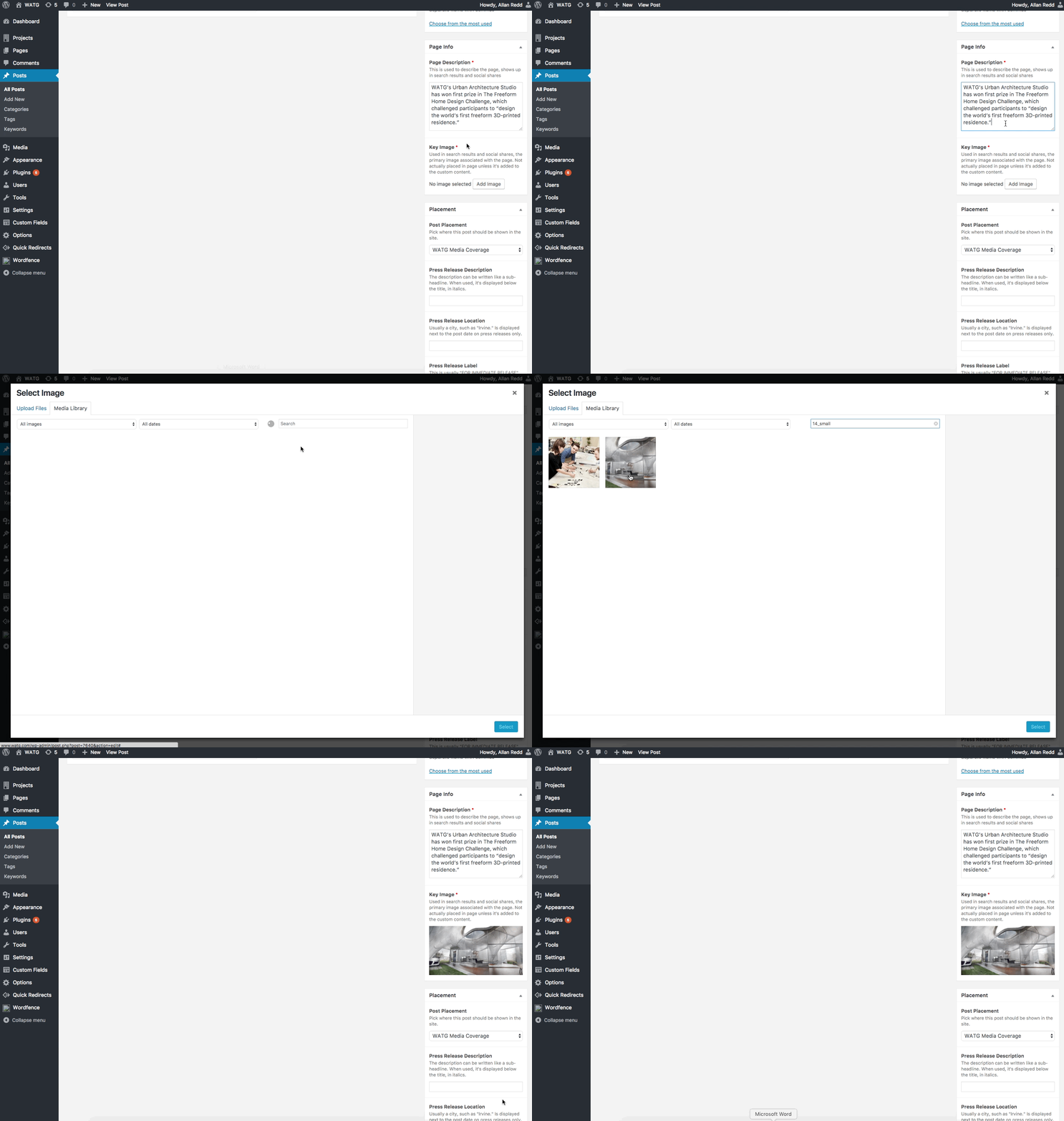
Step 4: Enter Page Info and select Key Image
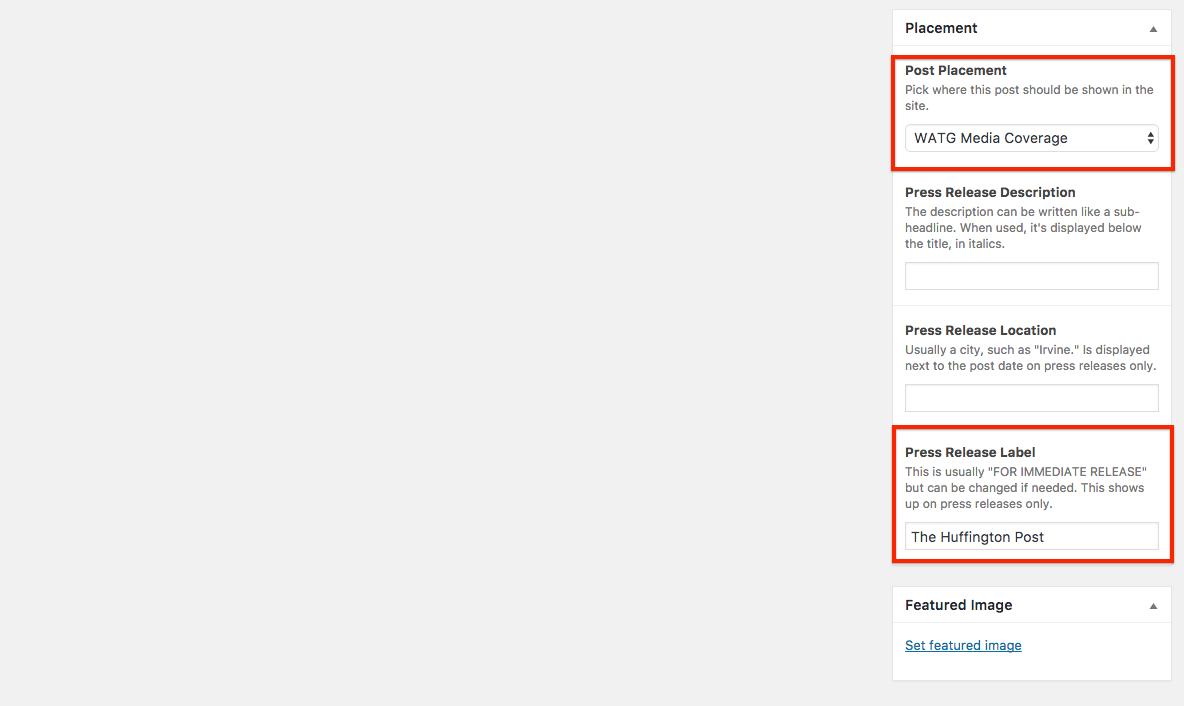
Step 5: Select Post Placement as WATG Media Coverage and Enter Press Release Label, for example The Huffington Post
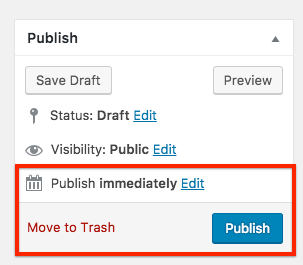
Step 6: Publish