Updating the Home Page
The home page is a Standard Page comprised of Custom Content Sections and a special Moments component that is only available on the Home page.
Step 1.
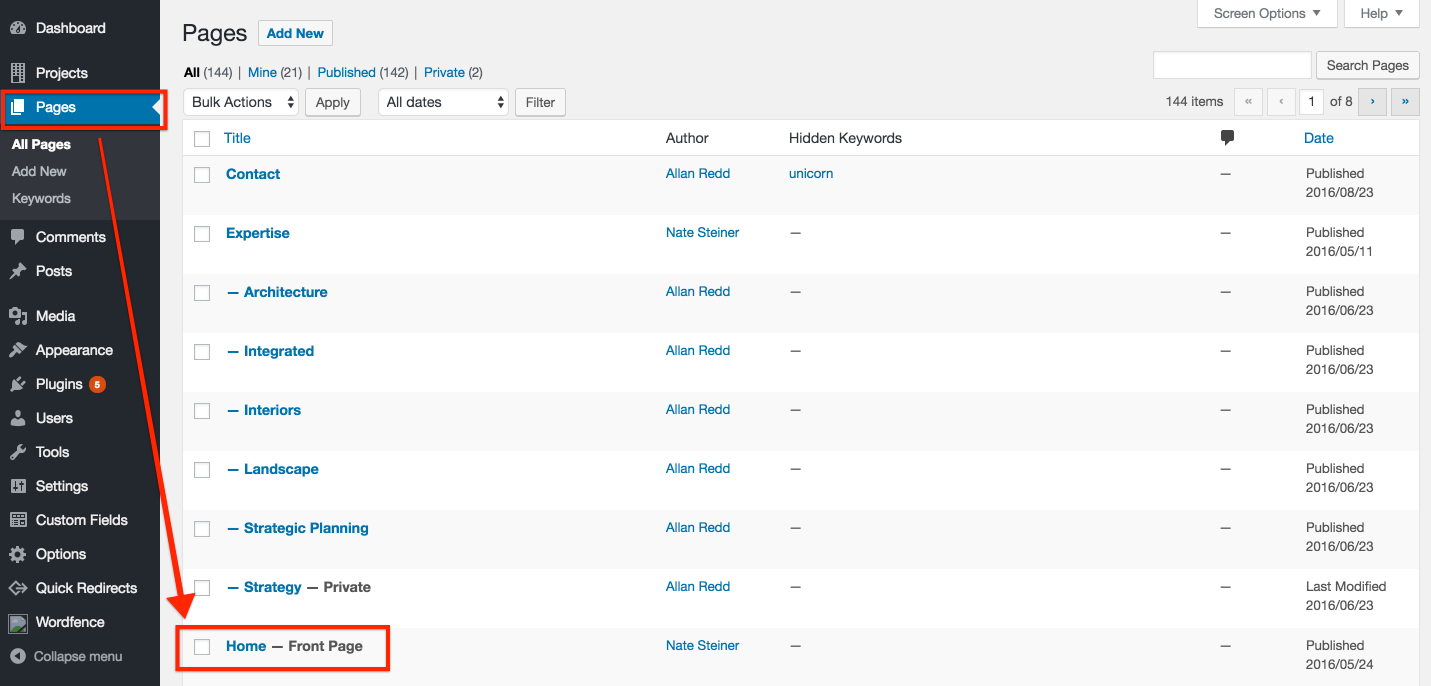
Locate and select Home in the Pages section of the WordPress admin
Step 2
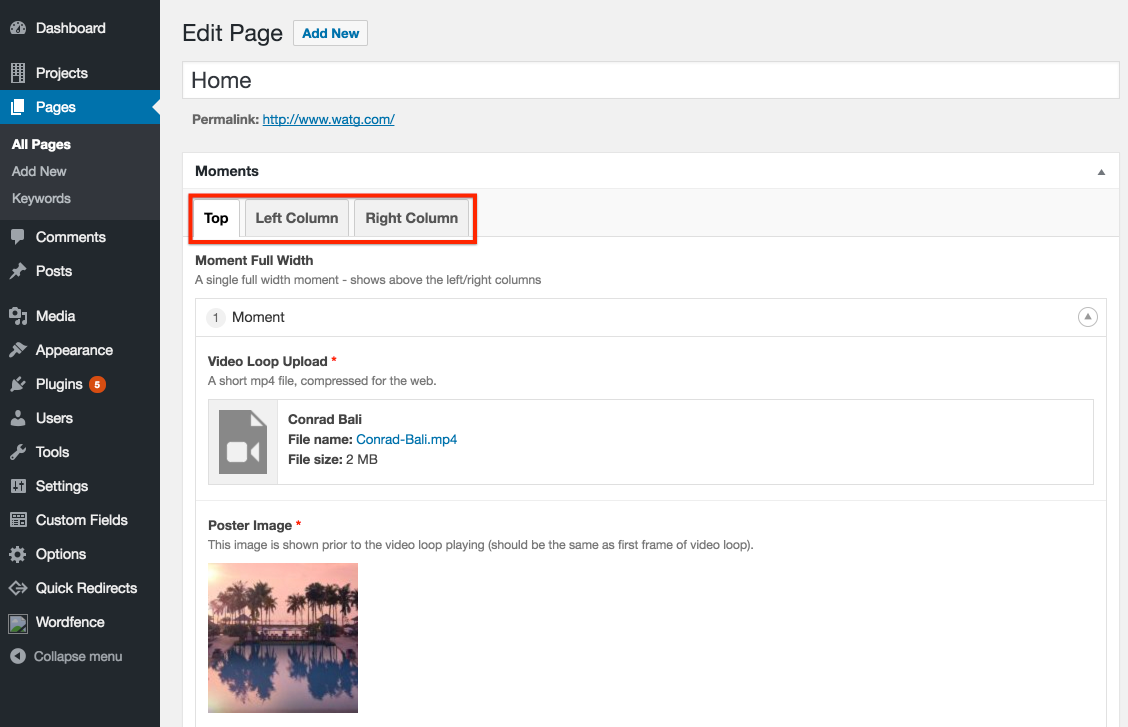
Choose the location of the Moment you wish to edit.
Step 3
Edit the loop and the video file information for the Moment. See the note on Vimeo settings below.
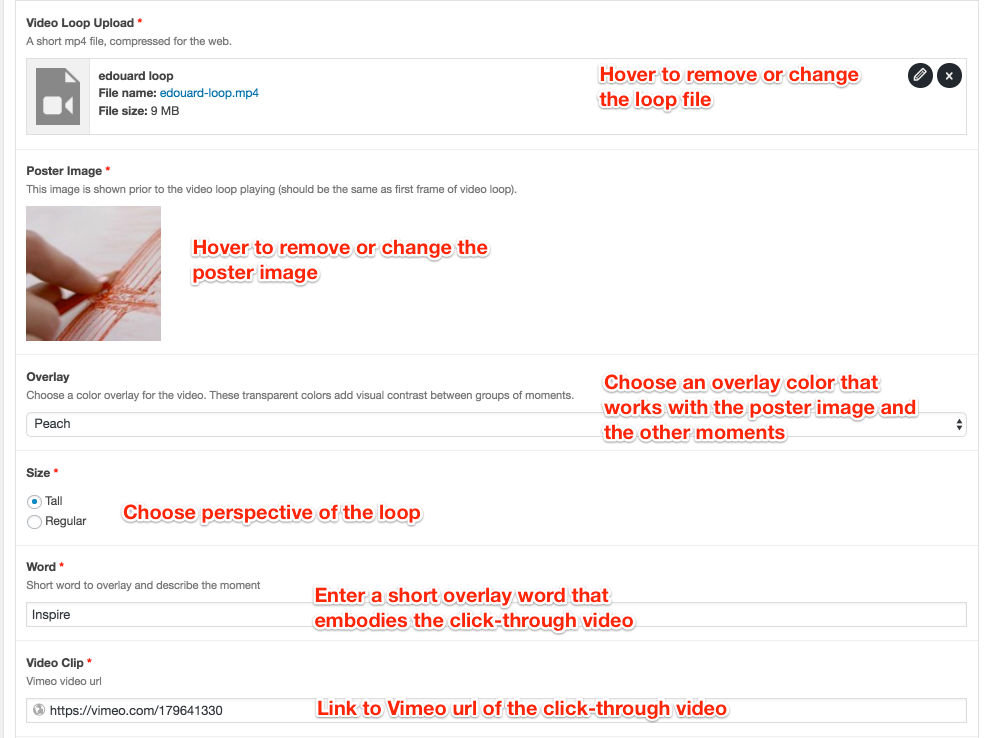
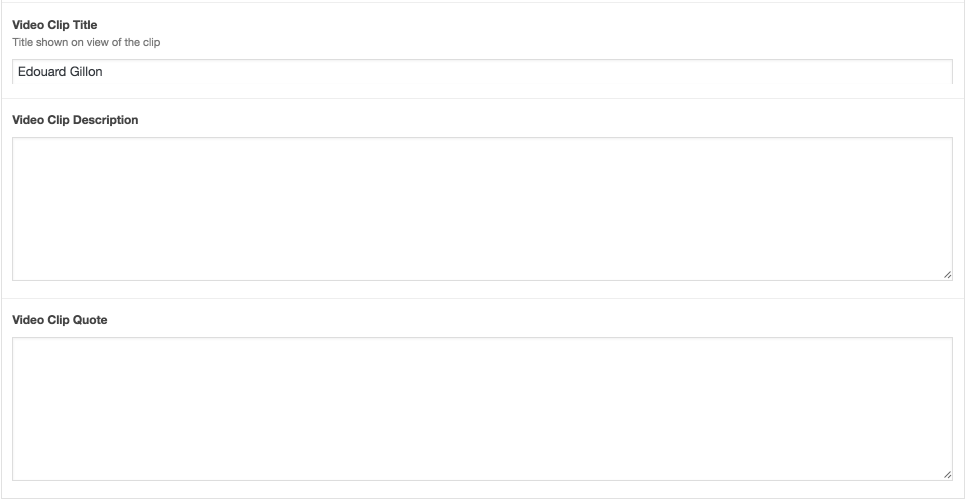
Now edit the information that dispays in the click-through video overlay. Each should have a title, though Description and Quote are optional.
Note that the position of individual Moments can be reordered by drag-and-drop.
Vimeo Settings
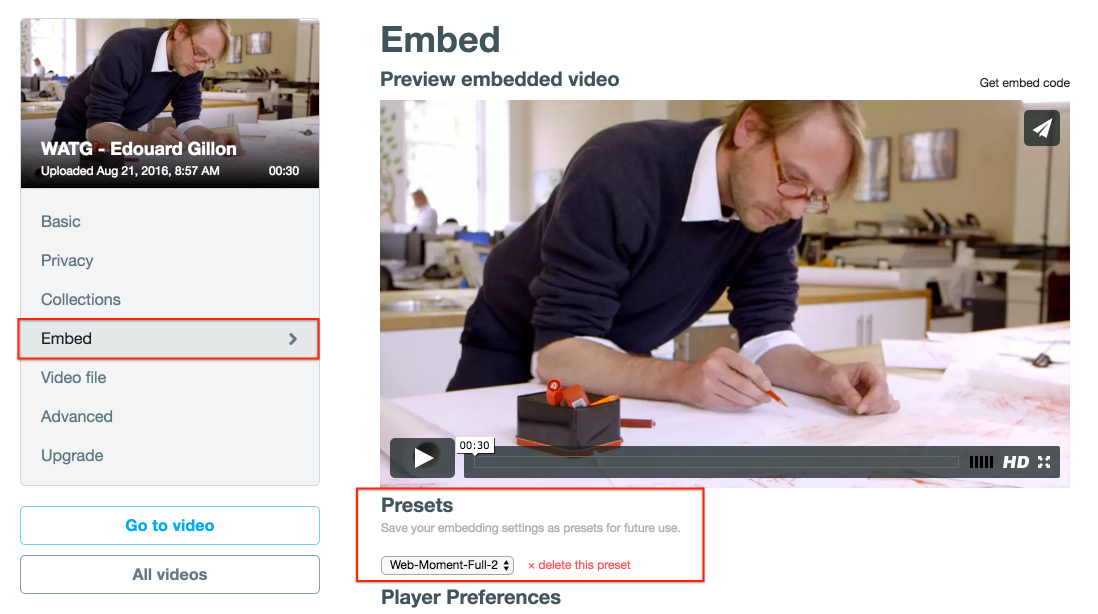
Only two things to remember here. First, the video must be public. Secondly, the Embed preset must be "Web-Moment-Full-2."